Tasks
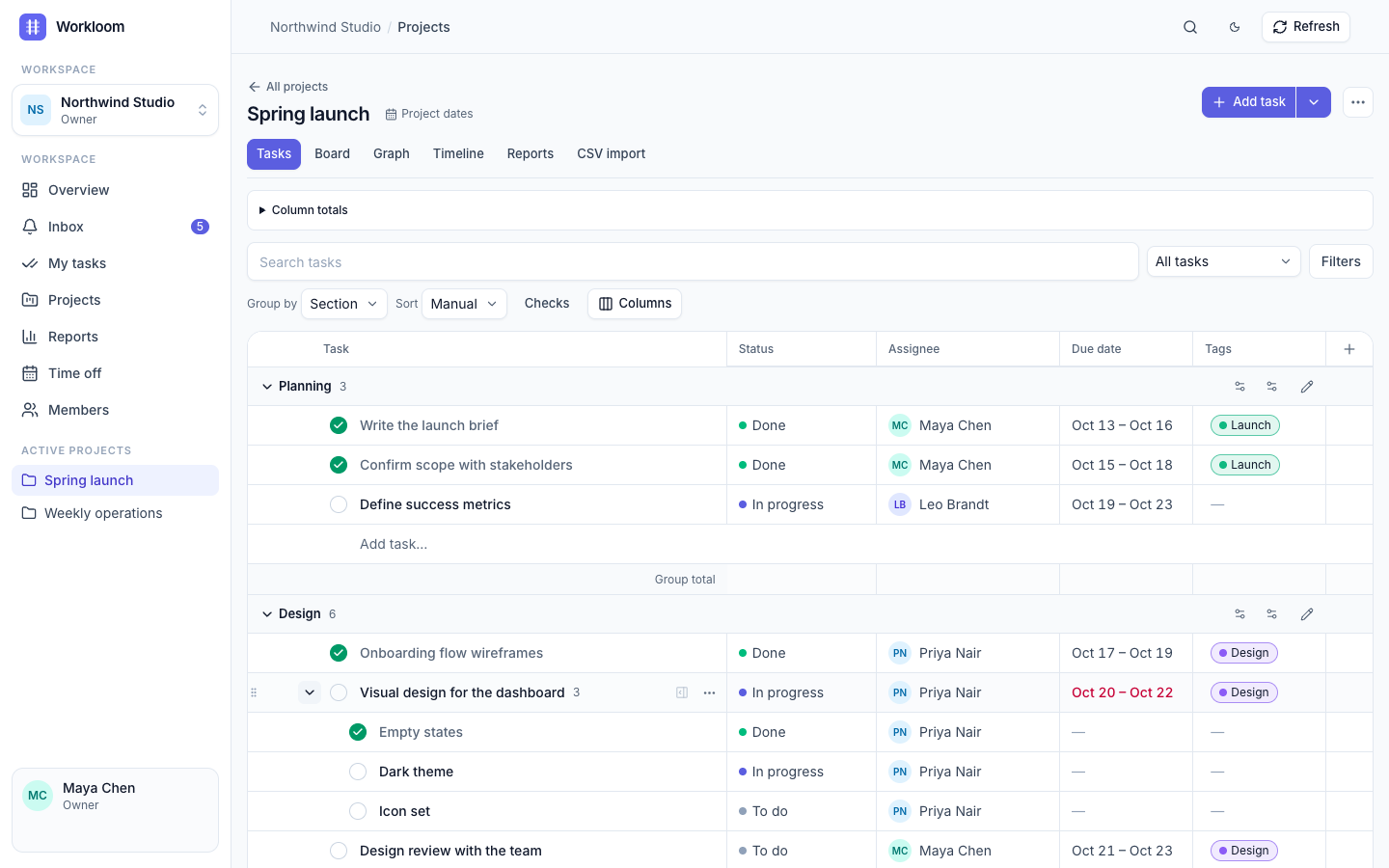
Table, board, timeline and graph.
Edit inline, group by section or person, drag cards, undo mistakes. The same tasks in four views.
Task tracking for teams that plan by the week
Workloom keeps tasks, weekly plans, time off and recorded work in one place, so your team spends less time in spreadsheets and more time shipping.
Sign in with Google and your workspace is ready in a minute. No payment details needed.
What you get
Everything a small team needs to agree on the work, do it, and look back honestly.
Tasks
Edit inline, group by section or person, drag cards, undo mistakes. The same tasks in four views.
Plan & fact
Set weekly plans, record the work that happened and compare the two. Copy last week into the next one in a click.
Time off
Vacation and flexible days with accruals, approvals and a team calendar that shows who is away on the timeline.
Dependencies
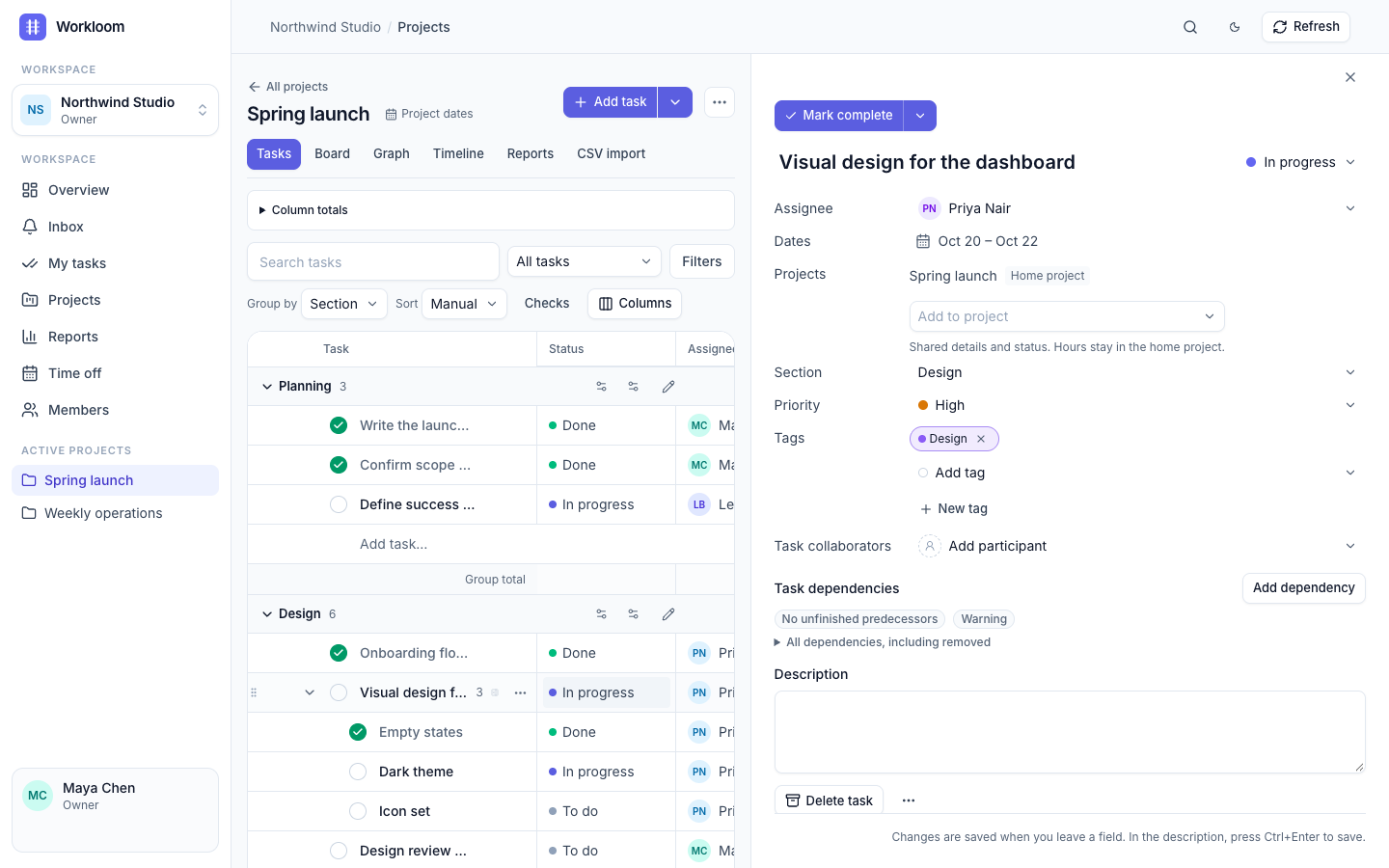
Link tasks across projects, spot unfinished predecessors and carry unfinished work into next week without double counting.
Inbox & mentions
Assignments, comments, @mentions and time-off decisions land in one inbox, with a badge for what is new.
API & MCP
Personal access tokens, a REST API and an MCP server let scripts, Claude or Codex create and update tasks with your permissions.
See it in action
Real screenshots of the product with example data.




A rhythm you can follow
Create a project, add tasks and make ownership clear. Import from Asana if you are moving over.
Choose commitments for the period, with meetings and time off in the same context.
Record work, review plan against fact, then copy the week and carry over what is unfinished.
Honest about it
Questions
Yes. Choose Try for free, sign in and you get an empty workspace to explore. No payment details are asked. Plans and pricing have not been announced.
With your Google account. The first sign-in creates your account and your own workspace, so signing up and signing in are the same step.
Yes. Export a project from Asana and import it from the Projects page; sections, assignees, dates, tags and dependencies come along.
People you invite to your workspace. Inside a workspace every member can see all tasks; roles decide who can edit, manage people and approve time off.
Yes: a REST API and an MCP server, authorised with personal access tokens that never exceed your own permissions. See the API and MCP docs.
Yes. Invite teammates with a link and give them a role: owner, admin, member or viewer.
Pick up the thread
Create a free workspace with your Google account.